Before you can manage a renewal deadline, you need to know it exists. For a single personal domain, checking the expiry date is a two-minute task. For an agency managing client infrastructure, it's a task that has to be repeated correctly across every domain, every client, every month — which is where things start to go wrong.
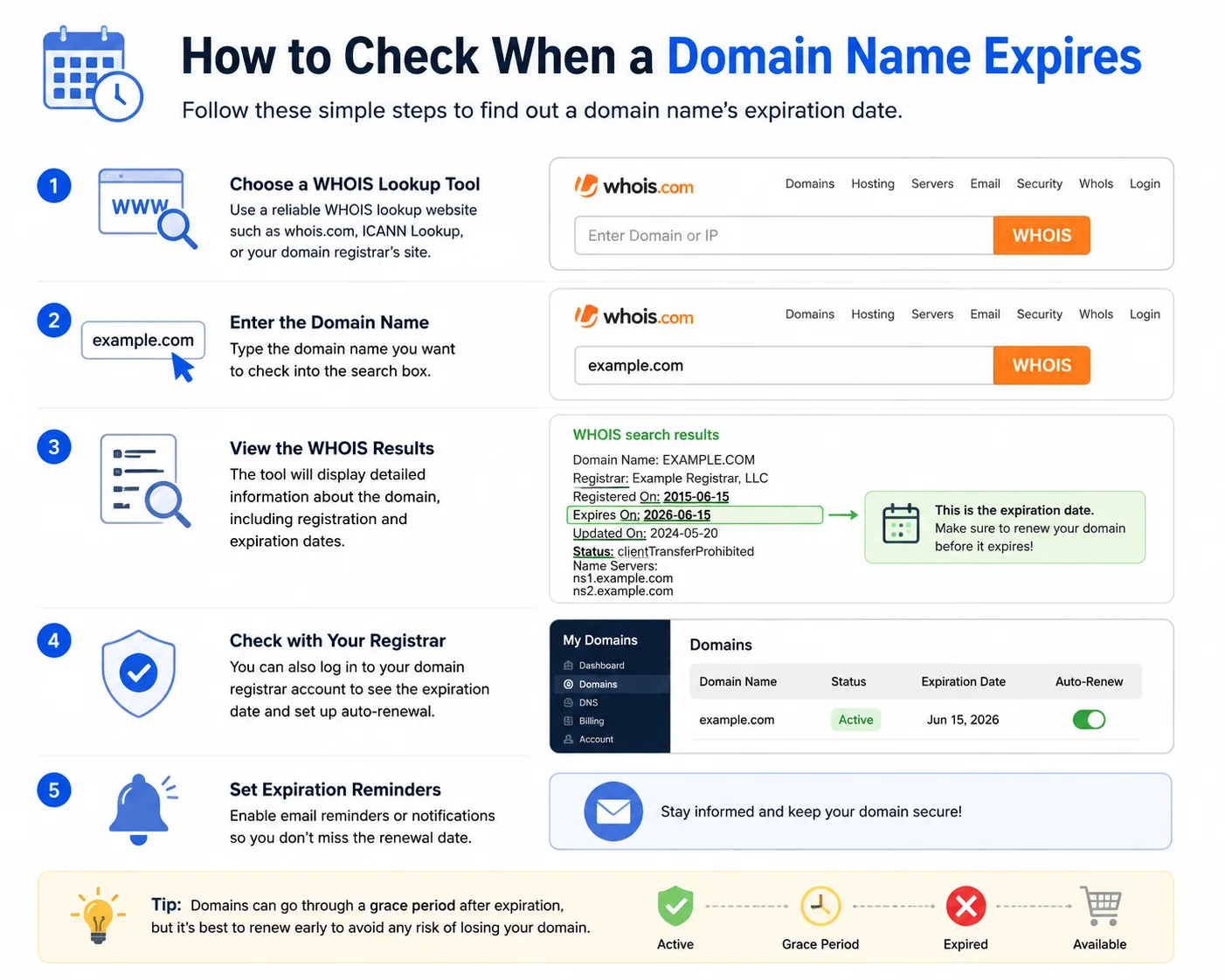
Method 1: WHOIS Lookup
Every registered domain has a WHOIS record containing its registration and expiry dates. You can check it with:
- A public WHOIS lookup site (search "WHOIS lookup" and enter the domain)
- The command line:
whois example.comon macOS/Linux, or a WHOIS client on Windows - Your domain registrar's own dashboard, which usually shows the same data more clearly
Note that some domains use privacy protection, which can hide contact details but still shows the expiry date in most cases.
Method 2: The Registrar Dashboard
If the agency controls the registrar account, the dashboard is usually the most reliable source — it shows the actual billing status, not just the raw expiry date, including whether auto-renewal is enabled and whether the payment method on file is valid.
Method 3: Browser SSL Certificate Info (For a Quick Sanity Check)
This won't show domain expiry, but clicking the padlock icon in a browser will show SSL certificate validity dates — useful as a quick check for the other major expiry risk on the same site.
Why a One-Time Check Isn't Enough
Checking a domain's expiry date today tells you nothing about whether it'll still be valid in six months unless something is tracking it continuously. The real problem agencies run into isn't how to check an expiry date — it's remembering to check across dozens of client domains, on a recurring basis, without missing one.
From Manual Checks to Ongoing Tracking
A one-off WHOIS lookup is a fine way to answer "when does this domain expire?" today. It's not a system for making sure someone still knows the answer in three months. That's the gap a dedicated tracker closes — Duvento pulls in each client's domains once and handles the ongoing part: watching the date and sending a reminder before it matters, so nobody has to run a WHOIS check from memory.
The Bottom Line
Checking a domain's expiry date is easy. Making sure that check still happens reliably, for every client, every renewal cycle, is the actual challenge — and it's a process problem, not a lookup problem.