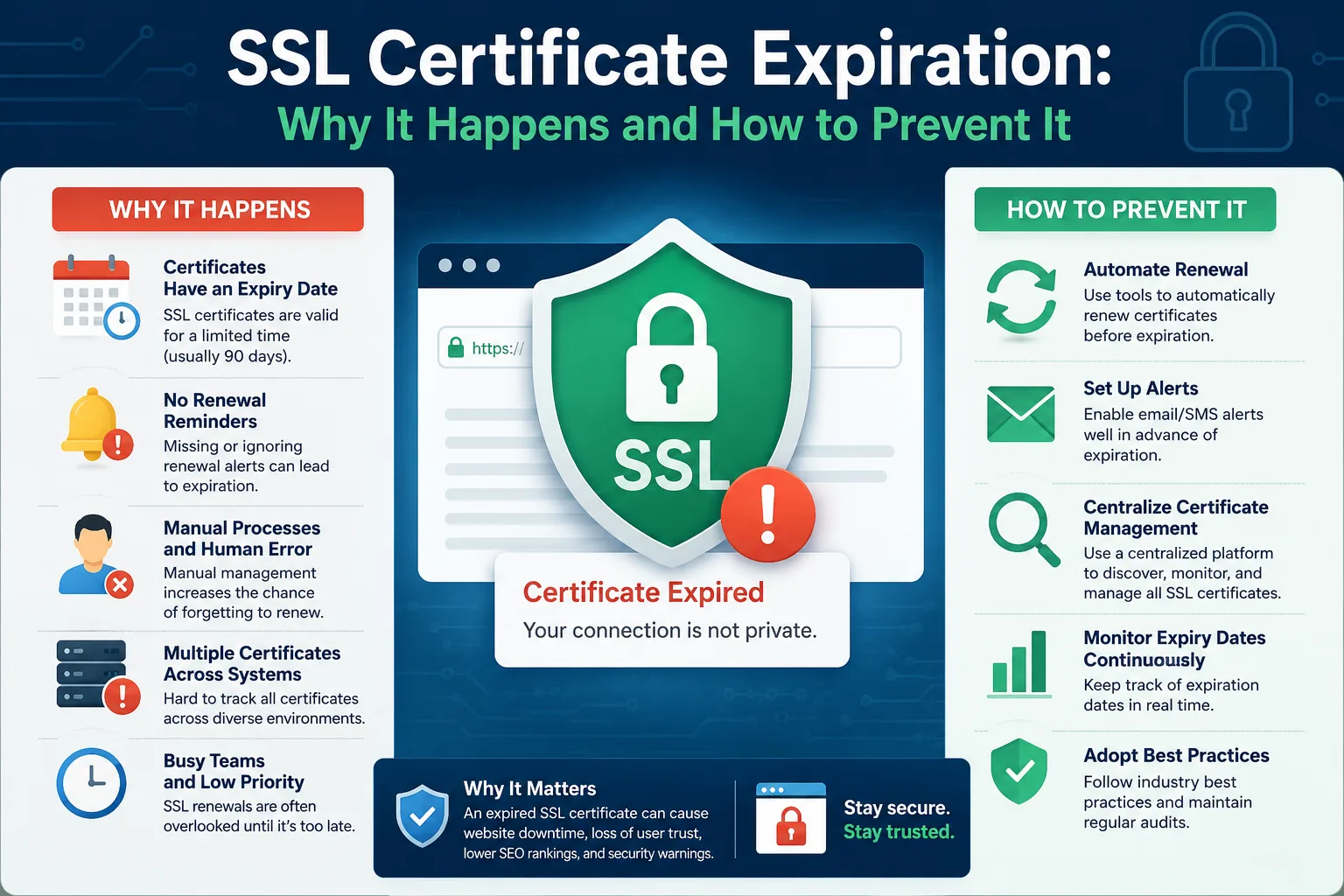
An expired SSL certificate is one of the fastest ways to turn a healthy website into a browser warning screen. Visitors see "Your connection is not private," search engines flag the site as insecure, and for an e-commerce client, checkout can stop working entirely. For an agency, it's also one of the most avoidable outages.
Why SSL Certificates Expire
Most SSL/TLS certificates are valid for a fixed period — commonly 90 days for free certificates like Let's Encrypt, or up to a year for certificates purchased through a certificate authority. Unlike domain registration, which can span a decade, SSL certificates are intentionally short-lived for security reasons. That means renewal has to happen far more often, and it's easy to lose track of when.
What Breaks When a Certificate Expires
- Browsers show a full-page security warning before visitors can reach the site
- Payment gateways and checkout flows often refuse to load over an insecure connection
- API integrations and webhooks that require HTTPS can silently fail
- Search engines may reduce trust signals for a site flagged as insecure
Why Manual Tracking Fails
Many hosting providers offer auto-renewal for SSL certificates, but auto-renewal isn't foolproof. It can fail silently because of a DNS change, an expired domain-validation record, a server misconfiguration, or a renewal script that stopped running after a server migration. If nobody is watching for the renewal confirmation, the first sign of trouble is often the client reporting the site is "broken."
Building a Reliable SSL Monitoring Process
- Track the actual expiry date for every client certificate, not just whether auto-renewal is theoretically enabled.
- Set a reminder window of at least 14 days before expiry, so there's time to fix a failed auto-renewal manually.
- Verify renewal actually happened, don't just assume the automation worked — check the new expiry date after each renewal cycle.
- Keep certificate ownership documented per client, especially when certificates are issued through different providers (hosting panel, Cloudflare, a CA directly).
A Centralized Alternative
Instead of relying on scattered auto-renewal settings across different hosting accounts, agencies can track every SSL certificate — expiry date, provider, and client — in one dashboard. Duvento was built for exactly this: add a certificate once, and get reminded well before it becomes an urgent, client-facing problem.
The Bottom Line
SSL certificates expire far more often than domains, which makes them one of the highest-risk items on an agency's renewal list. A short renewal cycle combined with silent auto-renewal failures is a recipe for surprise downtime — unless it's actively monitored.