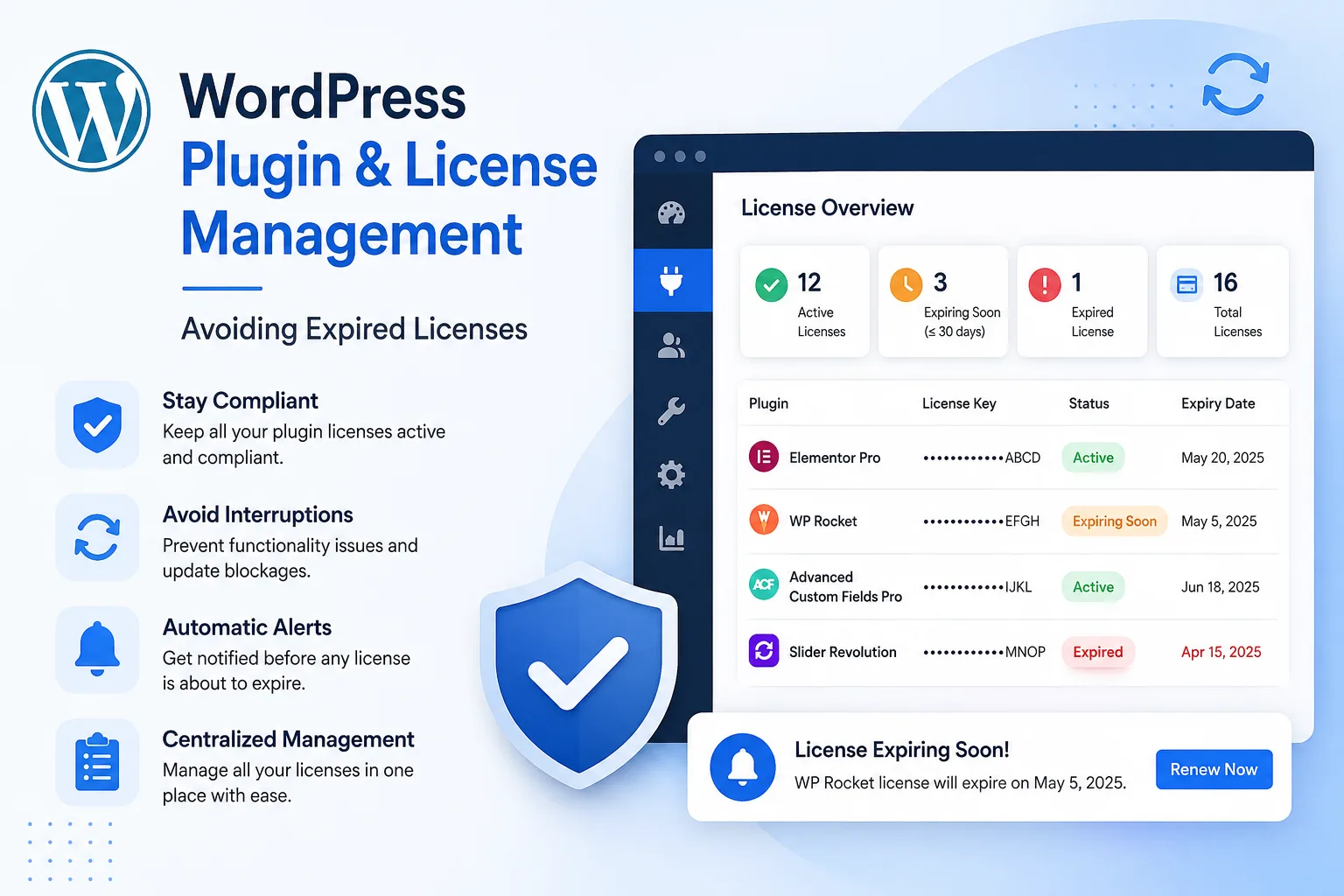
An expired domain or SSL certificate is loud — visitors see it immediately. An expired plugin license is quiet. The site keeps running, which is exactly what makes it dangerous: nothing looks broken until a security vulnerability goes unpatched for months, or a critical feature stops working right before it matters most.
What Actually Happens When a License Expires
Most premium WordPress plugins and themes (page builders, form plugins, SEO tools, e-commerce extensions) tie updates and support to an active license. Once it lapses:
- The plugin stops receiving updates, including security patches
- Support access is typically cut off
- Some plugins display warning banners in the admin area that clients notice and ask about
- A small number of plugins will disable premium features entirely until relicensed
Why This Is Easy to Miss
Unlike a domain, a lapsed plugin license doesn't take the site offline. It sits there, quietly out of date, until either a client notices a warning banner, or — worse — an unpatched vulnerability gets exploited. Agencies managing dozens of client sites, each with their own set of premium plugins and license keys, often have no single view of which licenses are active and which have silently expired.
Building a License Tracking Process
- List every premium plugin and theme per client site, along with the license key, provider, and renewal date.
- Track renewal dates the same way you track domains and SSL — as a recurring deadline, not a one-time setup detail.
- Set reminders well before expiry, since many license renewals require manual payment rather than auto-billing.
- Review license status during routine maintenance, not just when something visibly breaks.
Why This Matters for Security, Not Just Features
The security angle is often underestimated. A plugin with a lapsed license doesn't get patched when a vulnerability is discovered, even if the underlying plugin developer ships a fix. For agencies responsible for site security as part of a maintenance retainer, this is a real liability — not just a missed feature update.
Centralizing License Tracking
Because licenses expire on their own schedule — separate from domains, hosting, and SSL — they're easy to track separately, in a spreadsheet nobody checks, or not at all. Duvento treats plugin and software licenses as a first-class item alongside domains, hosting and SSL certificates, so every client's renewal calendar — not just their domain — lives in one place.
The Bottom Line
Expired licenses are one of the least visible risks in client website management, precisely because nothing looks obviously wrong. Treating license renewals with the same discipline as domain and SSL tracking closes a real security and reliability gap.